
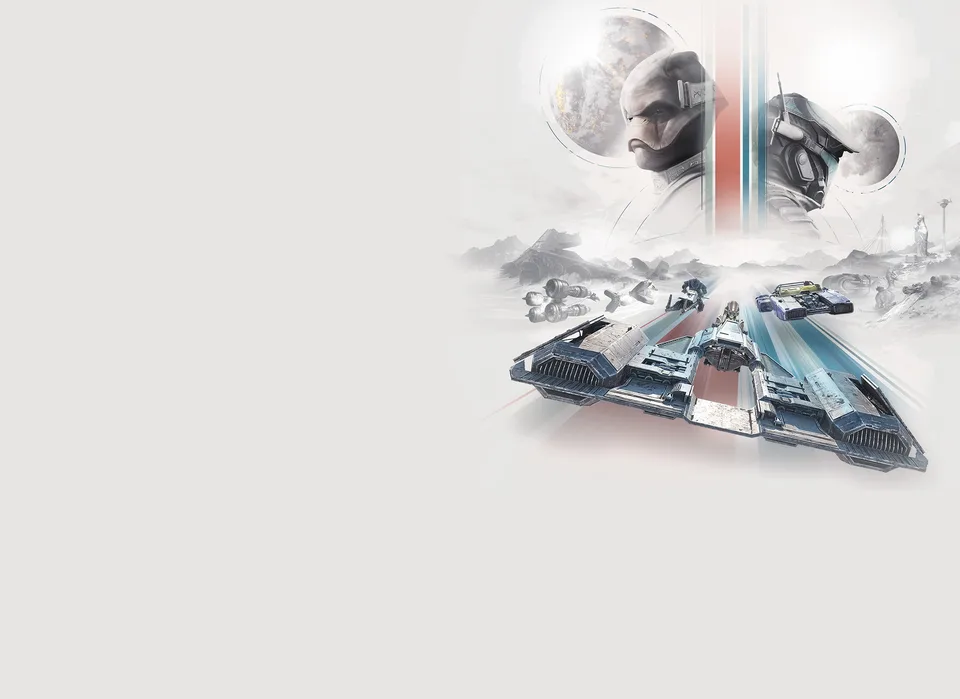
The galaxy is rebuilding, and the fastest way to make a name for yourself—or a fortune—is through the lawless, high-stakes circuits of the Outer Rim. STAR WARS: Galactic Racer captures the raw intensity of underground racing, challenging players to master physics-based vehicles far beyond the traditional pod racers of old. Whether you are a veteran of racing simulators or a newcomer to the Star Wars galaxy, understanding the technical requirements and racing mechanics is the first step toward becoming a legend in the Galactic League.
Understanding Technical Requirements and Denuvo
For many PC players, the inclusion of third-party DRM is a significant point of interest. STAR WARS: Galactic Racer utilizes Denuvo Anti-Tamper to protect its digital integrity. While this ensures a secure environment for online leaderboards and multiplayer fairness, it is important to be aware of the activation limits.
| Technical Aspect | Requirement / Detail |
|---|---|
| DRM | Denuvo Anti-Tamper |
| Activation Limit | 5 machines per license |
| Storage Requirement | 50 GB (SSD Required) |
| Minimum RAM | 12 GB |
If you are running the game on a high-end rig, the performance is generally fluid. However, because the game relies on rapid asset streaming for its high-speed environments, the mandatory SSD requirement is non-negotiable. Attempting to run the game on an HDD will likely lead to significant stuttering during intense racing sequences.
Mastering the Repulsorcraft Classes
STAR WARS: Galactic Racer features four distinct classes of vehicles, each requiring a different approach to handling and cornering. According to community reports, choosing the right craft for the specific track layout is the difference between a podium finish and a total vehicle malfunction.
| Vehicle Class | Handling Style | Best Used For |
|---|---|---|
| Landspeeder | Stable & Durable | Beginners, heavy combat tracks |
| Speeder Bike | High Acceleration | Tight, technical corners |
| Skim Speeder | Knife-edge agility | Narrow gaps, high-speed carving |
| Podracer | Raw, Unfiltered Speed | Special events, straightaways |
Tip
Why the Skim Speeder is a Game-Changer: Unlike other vehicles, the Skim Speeder can roll onto its side to carve through tight gaps. Use this maneuver to bypass traffic and save precious seconds on complex tracks like Sentinel 1.
Essential Gameplay Tips for Beginners
One of the most common mistakes cited by players is the default state of the game’s user interface. Upon your first launch, the tutorial pop-ups are disabled. This makes it difficult to understand the nuances of the "Ramjet" boost or the critical malfunction recovery system.
How to succeed in the Galactic League:
- Enable Tutorials: Navigate to the settings menu immediately and turn on tutorial pop-ups.
- Manage Your Boost: The Ramjet is powerful but dangerous. If you push the meter into the red line for too long, your engine will blow.
- Learn the Button Sequences: Before a race starts, you are prompted with a button sequence. Completing this correctly grants you a tactical advantage, such as a pre-charged Ramjet.
- Turn Off Takedown Cameras: In the gameplay settings, disable the "takedown cinematic camera." While visually impressive, it can disorient you during high-speed maneuvers, often leading to avoidable wall collisions.
Campaign Structure and Strategy
The campaign mode in STAR WARS: Galactic Racer is not your standard linear progression. It is a "runs-based" experience where your choices matter. You will be asked to choose paths through events, and once you commit to a path, you cannot simply restart a race if you make a mistake.
- Consequences: Races have permanent consequences within the tour. If you fail a qualifying race, you must restart the entire tour.
- Persistent Upgrades: While you lose the tour, you keep the experience points and credits earned. Use these to buy permanent upgrades for your craft, making your next attempt significantly easier.
Warning
Avoid the Lava: On volcanic tracks like those found on the planet Lantana, firing your Ramjet while flying over lava will cause an immediate explosion. Monitor your environment as closely as you monitor your heat gauge.
Multiplayer and Community Insights
The online experience is designed to keep the action moving. Matchmaking prioritizes filling empty slots in existing tours to ensure you aren't waiting in lobbies indefinitely. For those interested in the competitive scene, the game supports cross-platform play by default.
Key Multiplayer Statistics:
- Max Players (Speeders): 12
- Max Players (Podracers): 8
- Party Size: Currently 3 (planned expansion to 6 in future updates)
Community feedback highlights that while the story campaign provides a great introduction, the real depth lies in the Arcade mode leaderboards. You can check out the official Steam Store Page to join the community discussions and share your best lap times with friends.
FAQ: Frequently Asked Questions
Q: Is STAR WARS: Galactic Racer available on older consoles? A: No, it is currently available for PlayStation 5, Xbox Series X|S, and PC. There are no plans for last-gen support.
Q: Can I customize my podracer to be faster? A: No, podracers in this title are not customizable. Customization options are reserved for landspeeders, speeder bikes, and skim speeders.
Q: Do I need to be online to play the campaign? A: No, the solo campaign and arcade events can be played offline. You only need to be online for patches, leaderboards, and initial authentication on PC.
Q: Does the game support VR? A: Currently, there are no plans to implement VR support for STAR WARS: Galactic Racer.