
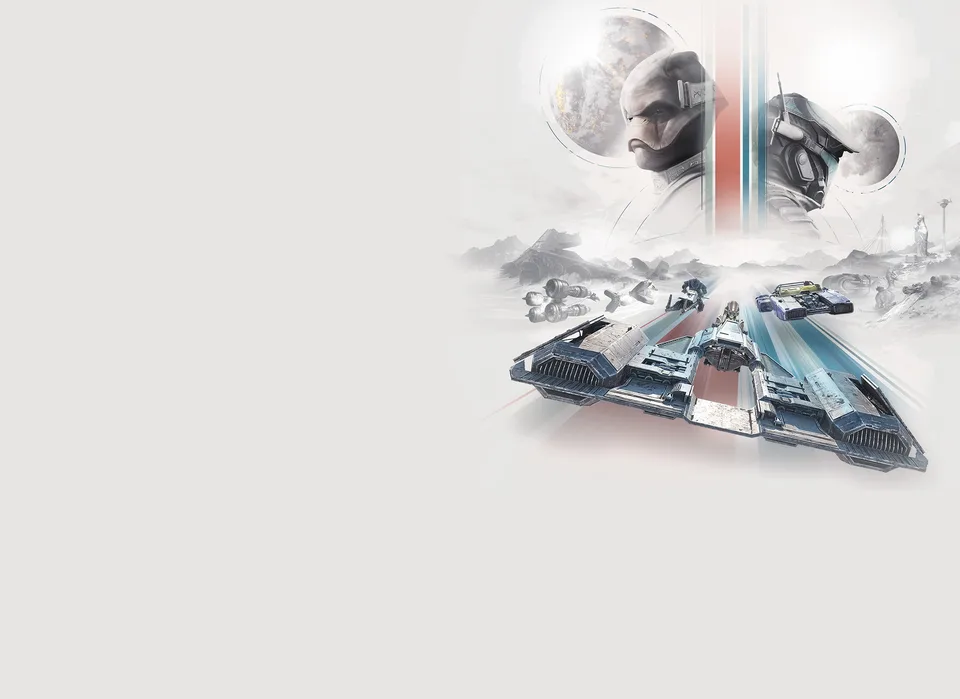
The thrill of high-stakes racing has finally arrived in the Outer Rim. With the release of Star Wars: Galactic Racer on October 6, 2026, players are diving into the gritty, unsanctioned world of the Galactic League. Whether you are a veteran of racing simulators or a newcomer drawn to the lore, the visual fidelity of the game is undeniable. Naturally, many players are searching for a Star Wars: Galactic Racer photo mode to immortalize their most intense takedowns and breathtaking drifts across the galaxy.
If you are currently looking for a Star Wars: Galactic Racer photo mode to capture your best moments, you are certainly not alone. While the game focuses heavily on the action of the race itself, understanding how to document your journey is a priority for many community members. In this guide, we will explore how you can best capture your gameplay, master the different repulsorcraft, and dominate the Galactic League.
Understanding the Galactic League
Before you focus on capturing screenshots, you need to understand the environment you are racing in. Star Wars: Galactic Racer is a high-stakes reinvention of racing mechanics, set in a lawless era where the New Republic struggles to rebuild. The game places you in the role of "Shade," a lone racer seeking revenge, glory, and credit.
The game isn't just about speed; it is about strategy. You are piloting vehicles in an unsanctioned circuit where syndicates sponsor pilots and fortunes are won or lost in seconds. To get the best shots for your collection, you need to know which vehicles and tracks offer the most cinematic potential.
Game Editions Comparison
To get started, it helps to know what version you are playing, as some editions offer unique cosmetic items that look great in screenshots.
| Edition | Platforms | Key Inclusions |
|---|---|---|
| Standard | PS5, Xbox, PC | Base Game |
| Deluxe | PS5, Xbox, PC | Base Game, Digital Art Book, 3x Exclusive Repulsorcraft, Deluxe Livery, 3x Arcade Events |
| Collector's | PS5, Xbox, PC | All Deluxe Content + Physical Model, Art Book, Patches, Banner, Steel Case |
Note: Physical Collector's Editions are available for PS5, Xbox Series X|S, and PC.
Capturing Your Racing Glory
While developers often include a dedicated "Photo Mode" in modern titles, not every game launches with one. As of the current release, a built-in Star Wars: Galactic Racer photo mode has not been explicitly detailed. However, this shouldn't stop you from sharing your epic races with the community.
Because the game features intense, fast-paced action, your best bet for capturing high-quality images is to utilize the native capture tools provided by your platform.
How to Capture Gameplay on Your Platform
| Platform | Recommended Capture Method | Tip for Better Shots |
|---|---|---|
| PlayStation 5 | Create Button (Short Press) | Use "Save Recent Gameplay" to grab the last 15-30 minutes. |
| **Xbox Series X | S** | Share Button |
| PC (Steam/Epic) | Game Bar (Win+Alt+PrtSc) | Use high-quality OBS clips to extract frames later. |
If you are on PC, consider using NVIDIA ShadowPlay or AMD ReLive. These tools allow you to record your races in the background. Once you have a high-quality video file, you can pause at the perfect moment—perhaps during a daring drift or a takedown—and take a high-resolution screenshot. This workaround acts as a functional Star Wars: Galactic Racer photo mode until (or if) an official one is added in a future update.
Mastering Your Repulsorcraft
To look good on the track, you need to be in the right vehicle. The game offers four distinct classes of repulsorcraft, each with its own physics and handling profile. Choosing the right craft is essential not only for winning but for creating the most "cinematic" racing moments.
Repulsorcraft Classes
- Skim Speeder: Agile and fast, perfect for tight corners and aggressive maneuvering.
- Speeder Bike: High speed, low stability. Great for risky, high-speed photography opportunities.
- Landspeeder: Balanced and sturdy. Good for heavy contact and takedowns.
- Podracer: The classic heavy hitter. Requires skill to master but looks incredible in motion.
When you are trying to capture footage for your social media or personal gallery, experiment with these different classes. The Podracer, for instance, provides a much more dynamic visual profile compared to the sleeker Skim Speeder.
Racing Across the Galaxy
Your choice of environment is just as important as your vehicle. The game features several unique planets, each with distinct lighting and atmospheric conditions. If you want to showcase your skills, you need to pick the right backdrop.
Notable Racing Locations
| Planet | Environment Style | Visual Potential |
|---|---|---|
| Tatooine | Desert/Dusty | Great for sunlight glare and sand effects. |
| Derven Acos | Industrial/Lawless | Excellent for neon lighting and shadows. |
| Ando Prime | Icy/Cold | High contrast, great for speed blur effects. |
| Jakku | Scavenger/Wasteland | Dynamic terrain and debris. |
Community Report: Many players have noted that the lighting on Derven Acos creates some of the most striking visuals, especially when the light reflects off the metallic surfaces of your repulsorcraft. If you are looking for that perfect shot to replace your desktop background, start your races here.
Tips for Cinematic Racing Gameplay
To get the most out of your racing experience, you need to play with intent. Racing isn't just about crossing the finish line; it's about doing it with style.
- Slam and Shunt: Don't just race; interact with your rivals. The game encourages you to "slam, shunt, and takedown" opponents. These collisions create chaotic, high-energy moments that look fantastic in slow motion.
- Strategic PvP: If you are playing online, your reputation is on the line. Use these grudge matches to show off your custom liveries.
- Master the Drift: Learning the drift mechanics is crucial. A well-timed drift around a corner on Tatooine is the ultimate way to show off your piloting skills.
If you find yourself constantly crashing, you might be pushing your craft too hard. Remember that the "greater the risk, the greater the reward." While high-speed racing is tempting, precision often yields better-looking gameplay than constant collisions.
Customization and Style
One of the best ways to ensure your gameplay looks unique is through customization. Players can build a ride that showcases their personal style. Whether you are using the Deluxe Livery Pack or custom banners for multiplayer, your visual identity is a huge part of the game.
When you are preparing to capture your gameplay, take a moment to customize your vehicle in the hangar. A well-designed, color-coordinated repulsorcraft will always look better in a screenshot than a default model.
Frequently Asked Questions (FAQ)
Q: Is there an official Star Wars: Galactic Racer photo mode available in the game? A: As of the launch on October 6, 2026, there is no explicitly detailed, dedicated Star Wars: Galactic Racer photo mode. However, you can use built-in console and PC capture tools to take screenshots and record your best racing moments.
Q: Which repulsorcraft is best for beginners? A: The Landspeeder is generally considered the most balanced and forgiving option for new players. It offers a good mix of speed and stability, making it easier to control while you learn the tracks.
Q: How do I unlock new liveries for my vehicles? A: You can unlock various liveries through gameplay progression and by participating in the Galactic League's events. Pre-ordering the game also grants you access to exclusive liveries for your landspeeders, speeder bikes, or skim speeders.
Q: Can I race on Tatooine immediately? A: Yes, Tatooine is one of the available circuits. As you progress through the story-driven campaign, you will unlock different circuits across various planets. Be sure to check the campaign map to see which locations are currently available to you.
For more information on the latest updates, patch notes, and community events, visit the Official Star Wars: Galactic Racer Website. The Galactic League is waiting—get out there and make your mark on the Outer Rim.